Users Posture
The Users tab provides a risk-based view of all user accounts in your client’s Microsoft 365 tenant. Each user is assigned a risk score based on their security posture, helping you quickly identify and prioritize high-risk accounts.
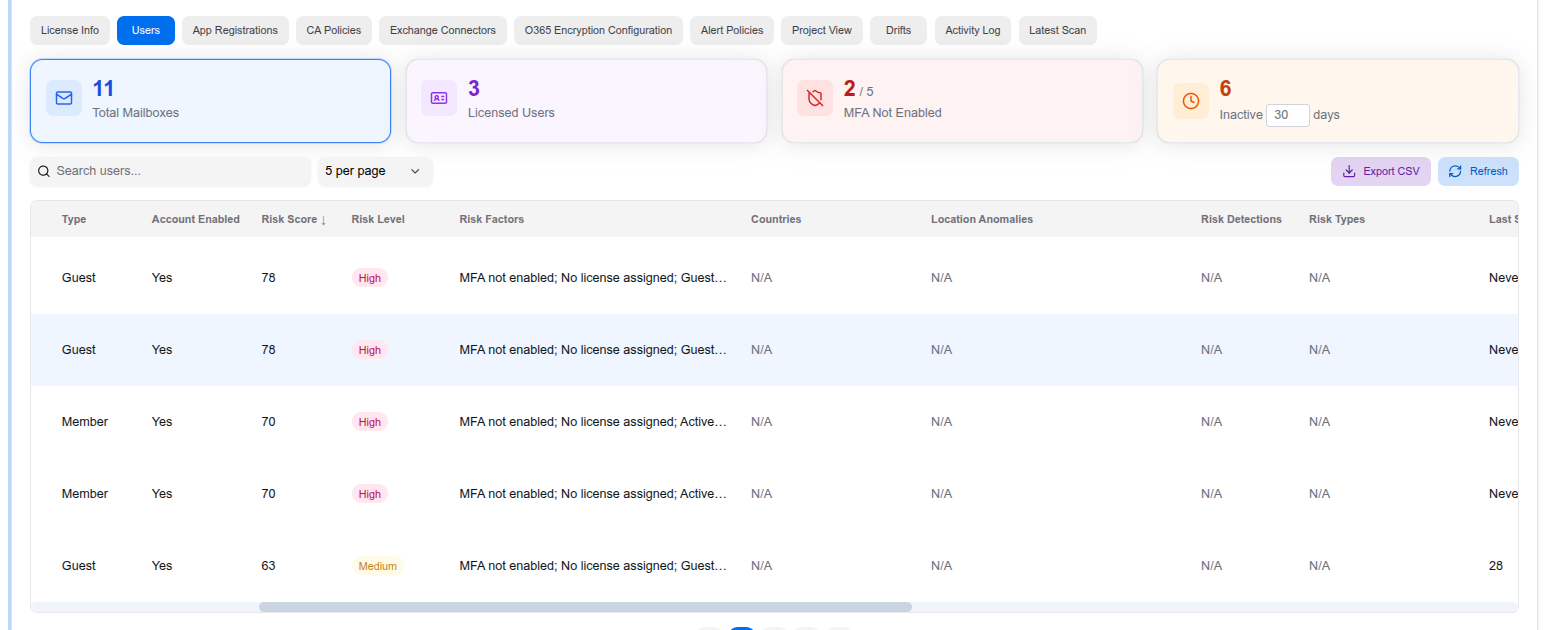
Summary Cards
At the top of the page, four summary cards give you an instant overview:
- Total Mailboxes — Number of mailboxes in the tenant
- Licensed Users — Number of users with active licenses
- MFA Not Enabled — Users without multi-factor authentication (highlighted as a fraction of total)
- Inactive — Users who haven’t signed in within a configurable number of days (default: 30)
User Table
The table lists all users with the following columns:
- Type — Member or Guest
- Account Enabled — Whether the account is active
- Risk Score — Numeric score (0–100) based on combined risk factors
- Risk Level — High, Medium, or Low classification
- Risk Factors — Specific issues (e.g., “MFA not enabled”, “No license assigned”, “Guest account”)
- Countries — Countries associated with sign-in activity
- Location Anomalies — Unusual sign-in locations detected
- Risk Detections — Identity Protection risk detections
- Risk Types — Categories of detected risks
- Last Sign-in — When the user last authenticated
You can search for specific users, adjust the number of results per page, and export the full list as a CSV.
User Detail Panel
Clicking on a user opens a detailed side panel with a full breakdown of their security posture:
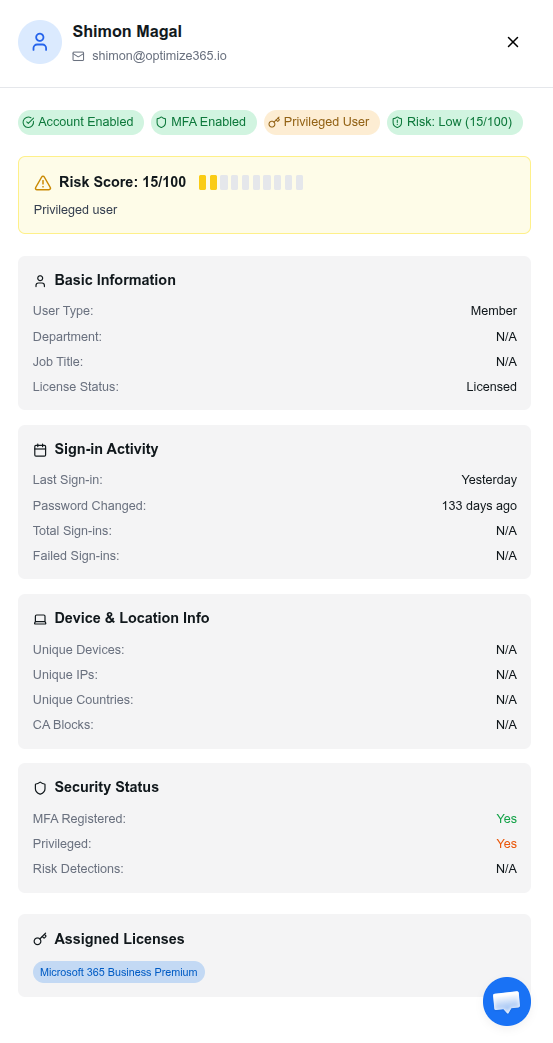
The panel includes:
- Status badges — Account Enabled, MFA Enabled, Privileged User, Risk level
- Risk Score — Visual score bar (0–100) with context (e.g., “Privileged user”)
- Basic Information — User type, department, job title, license status
- Sign-in Activity — Last sign-in, password changed, total sign-ins, failed sign-ins
- Device & Location Info — Unique devices, IPs, countries, CA blocks
- Security Status — MFA registered, privileged status, risk detections
- Assigned Licenses — List of licenses assigned to the user
Last updated on