License Info
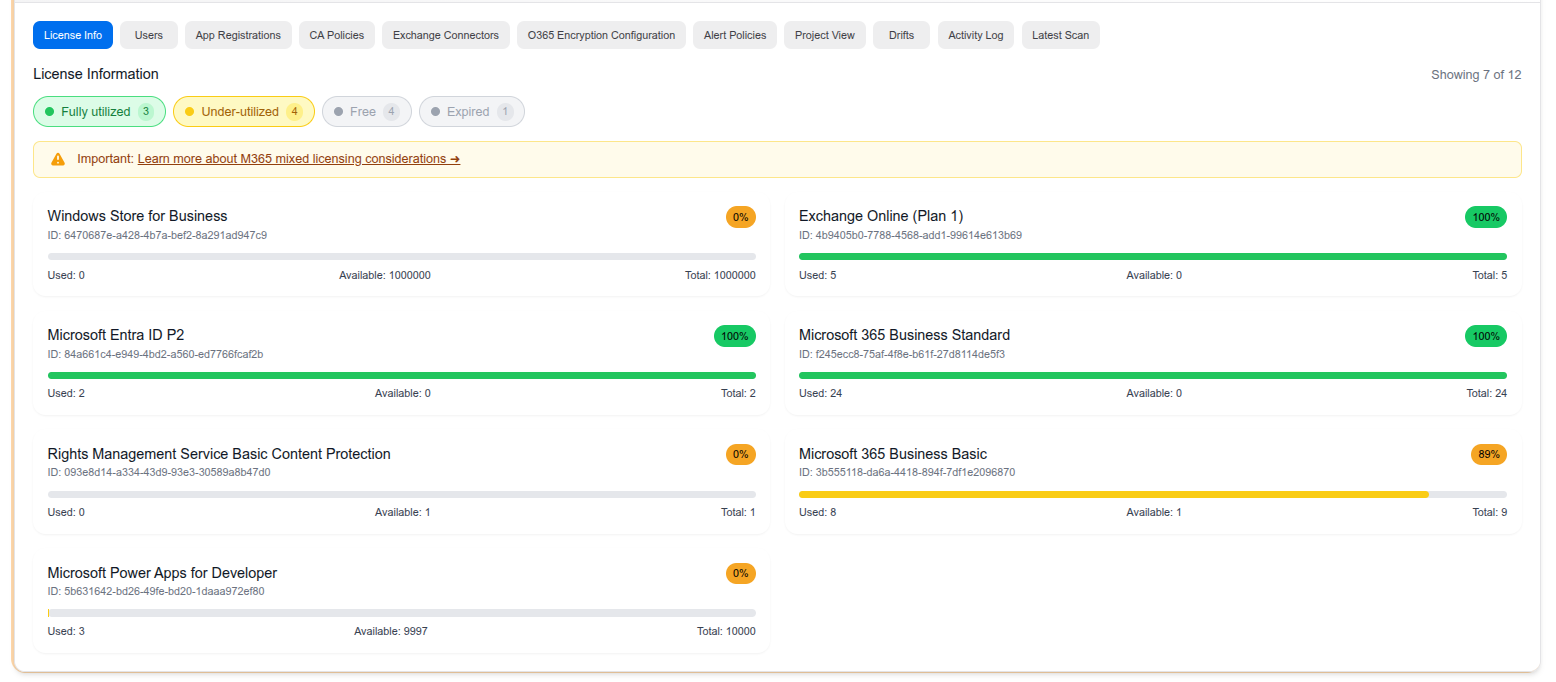
The License Info tab gives you a complete view of your client’s Microsoft 365 license utilization at a glance. It helps MSPs identify wasted spend, plan upgrades, and ensure proper license allocation.
License Categories
Licenses are grouped into four categories using color-coded filters:
- Fully Utilized (green) — All available seats are in use
- Under-Utilized (yellow) — Some seats are available and may represent unnecessary cost
- Free (gray) — Licenses included at no cost (e.g., Windows Store for Business, Power Apps for Developer)
- Expired (gray) — Licenses that are no longer active
License Cards
Each license is displayed as a card showing:
- License name and Microsoft SKU ID
- Usage bar — Visual indicator of how many seats are used vs. available
- Utilization percentage — Quick indicator badge (e.g., 100%, 89%, 0%)
- Used / Available / Total — Exact seat counts
Use Cases
- Cost optimization — Identify under-utilized licenses to reclaim or downgrade seats
- Capacity planning — Spot licenses at 100% utilization that may need additional seats
- Compliance — Ensure all users have the appropriate licenses assigned
Last updated on