Client Portal
The Client Portal is a shareable, client-facing security posture dashboard. It allows MSPs to give their clients visibility into their Microsoft 365 security status without exposing the full Optimize365 management interface.
Opening the Client Portal
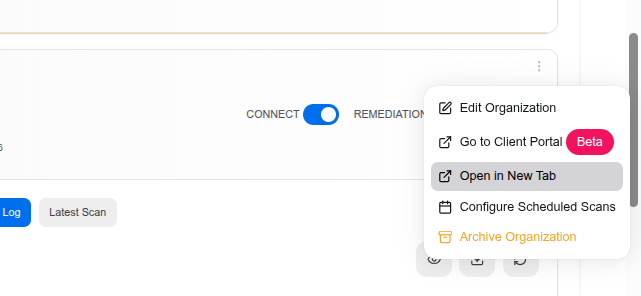
To access the Client Portal for a specific client, click the three-dot menu on the client card and select “Go to Client Portal”:
Security Posture Dashboard
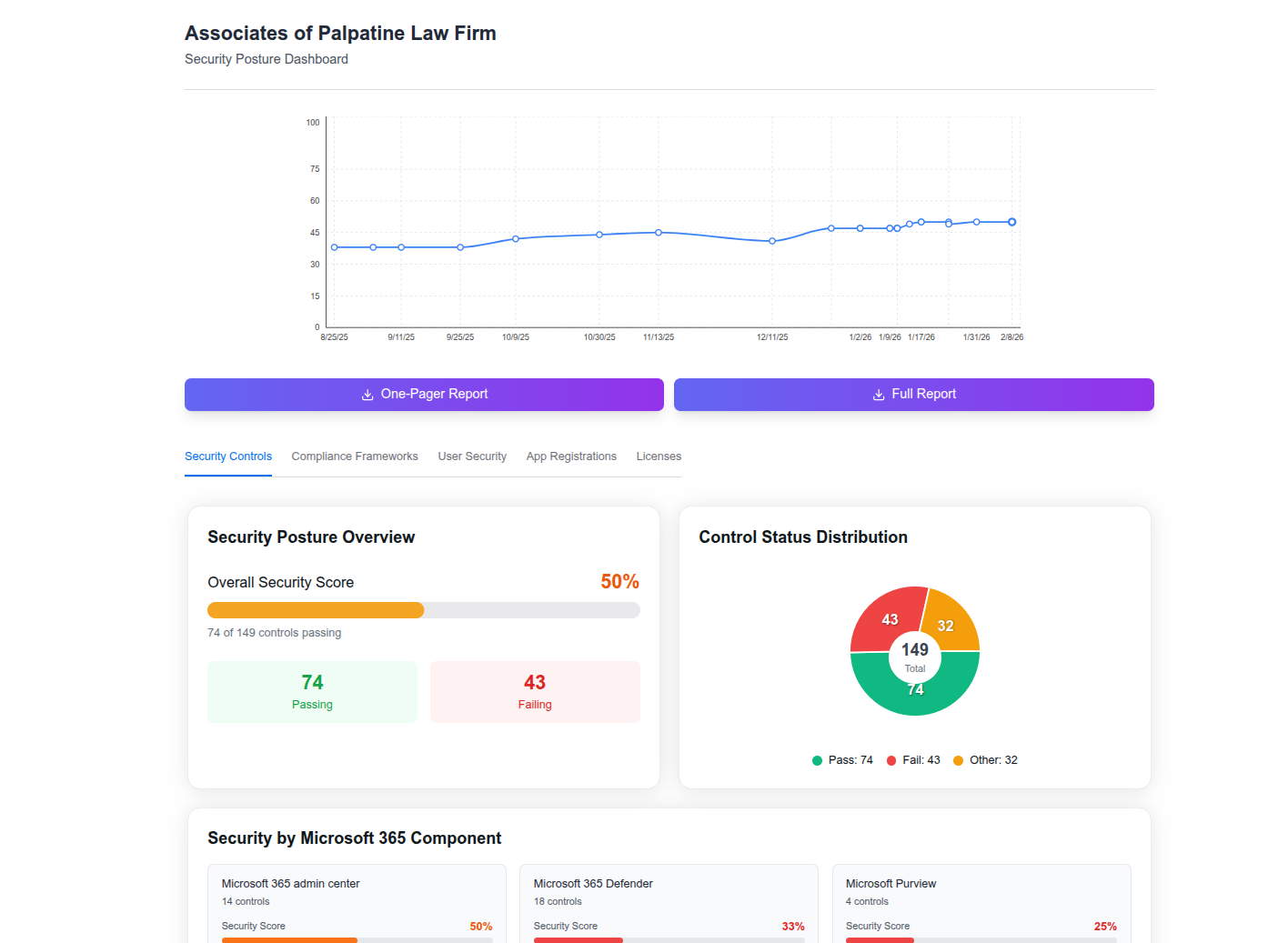
The Client Portal presents a comprehensive security posture overview:
Score Trending
A line chart at the top shows the client’s security score over time, making it easy to visualize improvement trends and identify regressions.
Downloadable Reports
Two report options are available:
- One-Pager Report — A concise executive summary suitable for quick reviews
- Full Report — A detailed breakdown of all controls, findings, and recommendations
Dashboard Tabs
The portal organizes security data into focused tabs:
- Security Controls — Overall security score, passing/failing controls count, and a breakdown by Microsoft 365 component (Admin Center, Defender, Purview, etc.)
- Compliance Frameworks — Mapping of controls to compliance standards
- User Security — User-level security posture summary
- App Registrations — Non-human identity health overview
- Licenses — License utilization summary
Security Posture Overview
- Overall Security Score — Percentage of controls passing (e.g., 74 of 149 controls)
- Control Status Distribution — Pie chart showing Pass, Fail, and Other counts
- Security by Microsoft 365 Component — Per-component scores (e.g., Admin Center 50%, Defender 33%, Purview 25%)
Last updated on